





ConsultEase Logo
Now live: ConsultEase AppExpert advice, on demand
Know more
App Store
Google Play
App Logo

How to create an account on the UDIN portal

📋
Back to all articles

How to create an account on the UDIN portal?

To register at UDIN portal, please take the following steps:
Step 1: Enter the homepage https://udin.icai.org
Step 2: Click button “For first time sign up, click here”
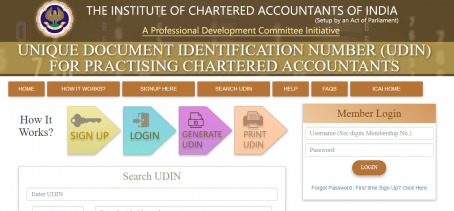
UDIN - Unique Document Identification Number - An initiative of PD Committee, ICAI - Google Chrome 2018-07-12 12.09.00

Step 3: Enter your six-digit Membership No., Date of Birth and Date of Enrollment, and click the “Send OTP”.
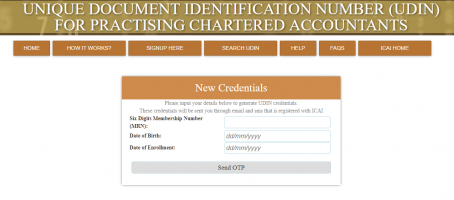
UDIN - Unique Document Identification Number - An initiative of PD Committee, ICAI - Google Chrome 2018-07-12 12.09.00

An OTP will be sent to you at the mobile and email, as registered with the ICAI. Enter the OTP and you will be registered.
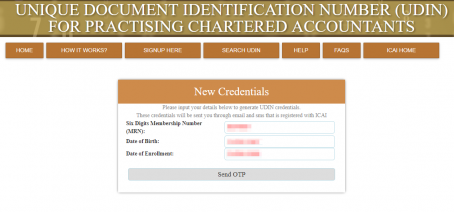
 

UDIN - Unique Document Identification Number - An initiative of PD Committee, ICAI - Google Chrome 2018-07-12 12.09.00

Step 4: Enter OTP received and click “Continue”, you will receive username and system generated password at the mobile and email, as registered with the ICAI.


C

Written by

ConsultEase

ConsultEase is a verified expert on the ConsultEase platform specialising in ROC Filings. Connect via the app for personalised advice on your specific situation.

View on ConsultEase